

Best Mini PC for NAS in 2026
Picks refresh twice a day.
A Mini PC can make a quiet, efficient NAS that uses much less space and power than a repurposed desktop. The important catch is storage: most Mini PCs have room for only one or two internal drives. They work best as the computer controlling a separate USB or network storage enclosure, unless you buy a model designed with multiple drive bays or high-capacity NVMe slots.
Decide Where The Drives Will Live First
The best NAS protects your data with reliable, replaceable drives. A typical Mini PC has an NVMe slot and sometimes one 2.5-inch SATA bay, which is not enough for a traditional multi-drive array. If you need several hard drives, pair the Mini PC with a quality USB DAS enclosure, use a purpose-built Mini PC NAS chassis, or choose a conventional multi-bay NAS instead.
Avoid building an important array from several unrelated USB-to-SATA adapters. A good enclosure with its own power supply and cooling is easier to manage and less likely to disconnect a drive. Also remember that RAID is not a backup: keep another copy of files you cannot replace.
Networking Matters More Than Raw CPU Speed
File serving is not demanding. An Intel N100 or N150 can easily handle everyday NAS duties, backups, and a few lightweight containers. Network speed and port selection will usually affect your experience more than upgrading to a Core i7 or Ryzen 7.
2.5GbE is the sweet spot for a new NAS. It is much faster than standard gigabit Ethernet while remaining affordable, and it can move large files quickly when the drives and the rest of your network keep up. Dual Ethernet ports are useful for a router, firewall, or advanced network setup, but they do not automatically double the speed of a normal file transfer.
Wi-Fi is convenient for setup, but connect the NAS by Ethernet for dependable speed and availability.
Choose The CPU Around Extra Services
For a simple SMB or NFS file server, budget Intel N-series processors are more than enough. They are inexpensive, sip power at idle, and produce little heat. A stronger Core i3/i5 or Ryzen 5 becomes useful when the same machine will run virtual machines, many Docker containers, photo indexing (Immich), security cameras (Frigate), or other homelab services.
If the NAS will also host Plex or Jellyfin, an Intel processor with Quick Sync Video is an easy choice for hardware transcoding. You can read our Mini PC for Plex & Jellyfin guide for the media-server details.
8GB RAM Is Enough For A Basic NAS
8GB RAM is sufficient for straightforward file sharing and backups. Choose 16GB if you plan to run containers, media services, Home Assistant, or several other apps alongside the NAS. Virtual machines on Proxmox and memory-hungry ZFS features can justify 32GB or more.
ECC memory is valuable for systems where data integrity is critical, but it is uncommon in inexpensive consumer Mini PCs. Do not assume a processor or memory module supports ECC without confirming that the complete Mini PC platform supports and enables it.
Storage Connections Need Careful Attention
Look beyond the number of USB ports. A multi-drive enclosure benefits from USB 3.2 Gen 2 (10Gbps), USB4, Thunderbolt, or OCuLink, but drive reliability and enclosure quality matter more than the fastest number on the box. Confirm whether ports share bandwidth and whether the Mini PC can automatically power back on after an outage.
Use the internal NVMe SSD for the operating system, apps, and containers, then reserve the larger external drives for shared data. This keeps the system responsive and makes storage maintenance easier.
Pick Software That Matches Your Experience
TrueNAS SCALE offers ZFS, apps, snapshots, and a polished web interface, but it works best with direct and reliable drive access. OpenMediaVault is lightweight and approachable for a basic Debian-based NAS. Unraid is a paid option that makes mixed-size storage and app hosting convenient. A regular Linux installation with Samba is also excellent if you prefer configuring the system yourself.
Before buying hardware, check that your chosen operating system supports its Ethernet controller, storage controller, and Wi-Fi chipset.
What Is Worth Paying Extra For?
- 2.5GbE networking: the most useful upgrade for large backups and file transfers.
- Reliable storage connectivity: prioritize a quality enclosure and controller over headline CPU specs.
- Low idle power: important for a machine that runs all day and night.
- Upgradeable RAM and NVMe storage: gives containers and services room to grow.
- Automatic power recovery: lets the NAS restart unattended after an outage.
Current picks
-
1. Best overall value pick
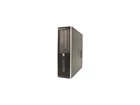
HP 8200
$185.99Excellent - RefurbishedSFFIntel Core i5-24008 GB2000 GB HDDWell suited to local backups, media, and storage-heavy workloads. Priced at $185.99 as checked on October 30, 2026, this configuration pairs Intel Core i5-2400, 8 GB RAM, 2000 GB HDD.
-
2. Best budget-friendly option
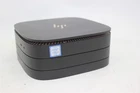
HP Elite Slice G2
$70Pre-OwnedIntel Core i5-7500T8 GB1000 GB SSDA balanced option for everyday storage and local file serving. Priced at $70 as checked on October 30, 2026, this configuration pairs Intel Core i5-7500T, 8 GB RAM, 1000 GB SSD.
-
3. High-spec step-up pick
Dell OptiPlex 3070
$319.99renewedSFFIntel Core i5-950016 GB2000 GB HDDWell suited to local backups, media, and storage-heavy workloads. Priced at $319.99 as checked on October 30, 2026, this configuration pairs Intel Core i5-9500, 16 GB RAM, 2000 GB HDD.